
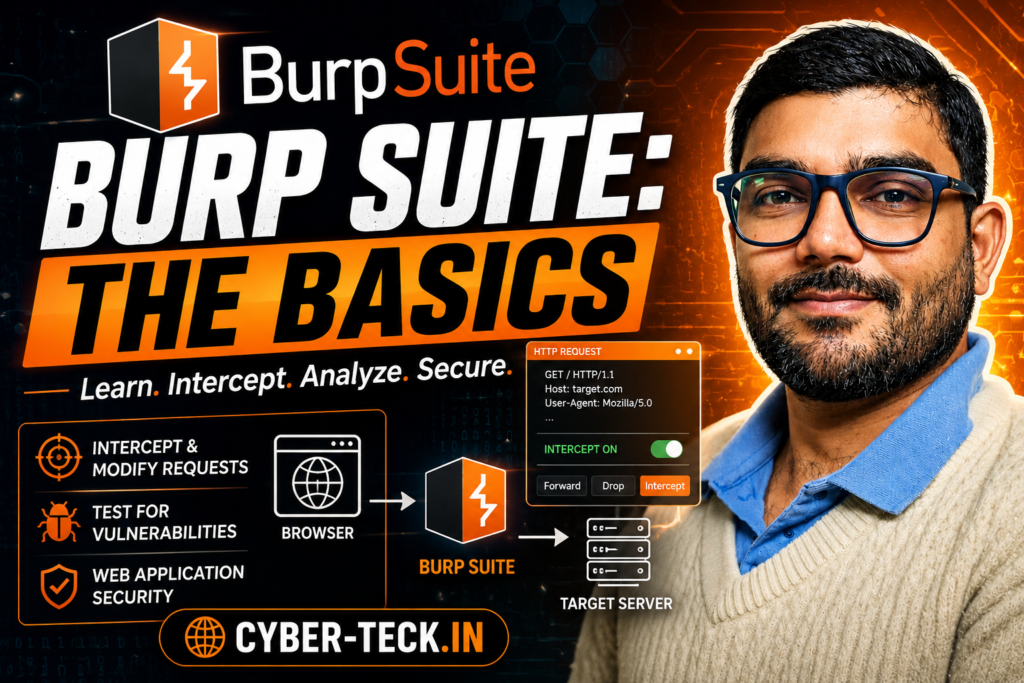
Burp Suite Basics: Web Application Pentesting Guide (Hindi Me)
Burp Proxy, Installation, Configuration aur Real-World XSS Bypass Seekhein Step-by-Step
Hey Guys! Agar aap Ethical Hacking ya Web Application Penetration Testing seekh rahe hain, toh ek aisa tool hai jiske bina aapka kaam bilkul nahi chal sakta — aur uss tool ka naam hai Burp Suite. Yeh industry-standard tool hai jo website aur mobile applications ke security assessments ke liye use hota hai.
Iss blog post me hum TryHackMe ke Burp Suite Basics room ke saare core concepts, tools, installation, aur ek real-world filter bypass attack ko bilkul aasan Hindi me visual layouts ke saath samjhenge.
1. Burp Suite Kya Hai aur Yeh Kaise Kaam Karta Hai?
Burp Suite ek Java-based framework hai. Aasan shabdon me kahein toh, yeh aapke Browser aur Target Web Server ke beech me ek Proxy (bicholiya) ki tarah kaam karta hai. Yeh aapke browser se nikalne wale saare HTTP/HTTPS traffic ko intercept (catch) kar leta hai.
│ (Sends Request)
▼
[ BURP SUITE PROXY ] <– Yahan Request Hold Hoti Hai (View/Modify)
│ (Forwarded Request)
▼
[ Target Web Server ]
Iska sabse bada fayda yeh hai ki aap kisi bhi web request ko server tak pahunchne se pehle dekh sakte hain, usme badlav (modify) kar sakte hain, ya fir use drop (delete) kar sakte hain.
2. Burp Suite ke Alag-Alag Editions
| Edition | Cost / Target Location | Key Features |
|---|---|---|
| Community Edition | FREE (Local PC) | Manual web testing, Proxy, Repeater, basic tools. No automated scanner. |
| Professional Edition | Paid License (Local PC) | Automated Vulnerability Scanner, Project Saving, No rate limit on Intruder. |
| Enterprise Edition | Paid License (Server-Based) | Resides on a server. Constantly and periodically scans web apps automatically. |
3. Core Tools aur Unke Kaam
Burp Suite framework ke andar kaafi powerful tools ka collection milta hai:
- Proxy: Yeh sabsay famous tool hai jo client aur server ke beech ke saare traffic ko intercept aur modify karne ki ijazat deta hai.
- Repeater: Iska use ek hi request ko baar-baar change karke manual testing ya SQLi/Payload craft karne ke liye kiya jata hai.
- Intruder: Yeh login forms ya endpoints ko brute-force karne aur fuzzing karne ke liye use hota hai (spraying endpoints with requests).
- Decoder: Iska kaam data ko transform karna hai, jaise base64 decode karna ya URL encode karna.
- Comparer: Yeh do alag-alag requests ya responses ke beech word ya byte level par antar (comparison) dikhata hai.
- Sequencer: Yeh session tokens aur cookies ki secure randomness (random tokens generation algorithm) ko test karta hai.
4. Dashboard Navigation & Shortcuts
Burp Dashboard 4 main quadrants me divide hota hai: Tasks (background work ke liye), Event Log (Burp ki actions aur connections details ke liye), Issue Activity (sirf Pro me scanner results ke liye), aur Advisory (vulnerability remediation information ke liye).
⚡ Burp Suite Navigation Shortcuts (Master Keybindings)
- Ctrl + Shift + D : Dashboard Tab
- Ctrl + Shift + T : Target Tab
- Ctrl + Shift + P : Proxy Tab
- Ctrl + Shift + I : Intruder Tab
- Ctrl + Shift + R : Repeater Tab
5. Global Settings vs Project Settings
Burp Suite me configuration do tarah se hoti hai:
- Global Settings (User Settings): Yeh poore Burp Suite installation par asar dalti hain aur har baar app launch hone par baseline config apply karti hain (Jaise ‘Hotkeys’ change karna ya ‘Updates’ setup).
- Project Settings: Yeh sirf current session ke liye hoti hain. *Note:* Community Edition me project save nahi hota, isliye yeh settings close karne par reset ho jati hain. “Cookie jar” jaise configurations isi category me milti hain.
6. Target Tab Aur Scoping
Jab aap browsing karte hain toh poori duniya ka traffic Burp me dikhne lagta hai jo bohot irritating hota hai. Isko clean karne ke liye hum Scope Settings ka use karte hain:
- Target Tab me jayein, apne specific URL par right-click karein aur “Add to Scope” select karein.
- Proxy settings sub-tab me jaakar “And URL Is in target scope” check-box ko select karein. Isse out-of-scope traffic intercept hona band ho jayega.
7. Practical Walkthrough: Bypassing Client-Side Filters (Reflected XSS)
Chaliye dekhte hain ki real-world me Burp Suite Proxy se security filter ko kaise bypass kiya jata hai:
<script>alert("Succ3ssful XSS")</script>). Lekin browser me ek Client-Side filter laga hai jo email id me special characters allow nahi kar raha.
Bypass Karne Ka Step-by-Step Process:
Step 2: Browser form me ek valid fake email dalein (e.g.,
pentester@example.thm) aur form submit karein.Step 3: Request server tak nahi jayegi, Burp Proxy use hold kar lega. Ab Burp ke andar jaakar email field ki jagah apna payload paste kar dein:
<script>alert("Succ3ssful XSS")</script>Step 4: Is payload ko select karein aur Ctrl + U daba kar URL Encode karein (taaki request crash na ho).
Step 5: Ab Forward button par click karein. Server ko lagega ki data valid jagah se aaya hai aur aapka Reflected XSS attack execute ho jayega! 🎉
Summary Cheat-Sheet
Burp Proxy traffic intercept karta hai • Intruder tools brute-forcing ke liye use hote hain • Client-side validations ko Burp se bypass karna absurdly easy hai.
Happy Hacking! Aise hi premium cyber security tutorials ke liye cyber-teck.in ko visit karte rahein.Burp Browser, HTTPS CA Certificate Setup aur Scope Rules
FoxyProxy Error, PortSwigger Certificate Install karna aur Proxy Traffic Filter karna Seekhein
Pichle part me humne dekha tha ki Burp Suite kya hai aur uske main components kaise dikhte hain. Is part me hum baat karenge ki jab hum HTTPS websites ko proxy ke through run karte hain toh errors kyun aate hain, aur unhe solve kaise kiya jata hai. Saath hi hum seekhenge ki extra background traffic ko filter out karne ke liye Target Scoping ka use kaise karte hain.
1. Built-in Burp Browser: The Shortcut Way
Agar aap apne personal browser (Firefox ya Chrome) me FoxyProxy ki configurations nahi karna chahte, toh Burp Suite ek in-built browser option deta hai. Yeh ek pre-configured Chromium browser hota hai jo automatic Burp Proxy se linked hota hai.
How to Open: Proxy tab me jaakar simple Open Browser button par click karein.
⚠️ Linux Root User Error Fix (No Sandbox):
Agar aap Kali Linux me root user ki tarah Burp chala rahe hain, toh built-in browser standard sandbox error dega. Iska simple solution yeh hai:
Go to Settings -> Tools -> Burp’s browser -> Aur wahan “Allow Burp’s browser to run without a sandbox” option ko check (enable) kar dein.
2. HTTPS Traffic Error aur PortSwigger CA Certificate Setup
Jab aap external browser me proxy on karke kisi HTTPS website (jaise google.com) par jaate hain, toh browser ek security alert dikhata hai: “The PortSwigger Certificate Authority is not authorized…”.
ऐसा इसलिए होता है क्योंकि आपका ब्राउज़र बर्प सूट के नकली (interception) सर्टिफिकेट पर भरोसा नहीं करता। इसे फिक्स करने के लिए हमें Burp ka CA Certificate मैन्युअली ब्राउज़र में इम्पोर्ट करना पड़ता है:
http://burp/cert par jayein aur cacert.der file save karein.Step 2: Settings ──► Firefox options me jaakar “Certificates” search karein aur View Certificates par click karein.
Step 3: Import ──► Import Button daba kar downloaded file select karein.
Step 4: Trust ──► “Trust this CA to identify websites” checkbox ko select karke OK kar dein.
3. Traffic Cleaner: Project Scoping Rules
जब बर्प प्रॉक्सी चालू होती है, तो आपके सिस्टम का सारा बैकग्राउंड ट्रैफिक (Windows update, system apps, extra tabs) बर्प में दिखाई देने लगता है। इससे आपका HTTP history का पूरा डैशबोर्ड मैसी (messy) हो जाता है।
सिर्फ अपने टारगेट यूआरएल पर फोकस करने के लिए हम Target Scoping इनेबल करते हैं:
- Add to Scope:
Targettab me jayein, apne website URL par right-click karein aur “Add to Scope” select karein. Burp aapse puchega ki kya baaki logs rokne hain? Click Yes. - Proxy Intercept Filter: Iske baad
Proxy settingssub-tab me jayein aur “Intercept Client Requests” ke andar jaakar “And URL Is in target scope” filter rule ko select karein.
Isse fayda yeh hoga ki proxy faltu ke backgrounds requests ko intercept karna band kar degi aur aapka clear-view monitor ho jayega.
4. Real-World Room Challenge: Reflected XSS Attack
TryHackMe ke iss practical setup me hume ek Support Ticket module diya gaya tha (http://MACHINE_IP/ticket/). Hume isme Reflected Cross-Site Scripting (XSS) attack execute karna tha via bypassing client-side validation filter.
| Attack Layer | What Happens? | Burp Role |
|---|---|---|
| Client-Side UI | Direct HTML box me script character input block ho jate hain. | Yahan hum fake clear string submit karte hain. |
| Proxy Intercept | Request internet par jaane se pehle Burp me hold ho gayi. | Hum plain string ko replace karke actual XSS script inject karte hain. |
| Server Transmission | Server response script execute karke data output bhejta hai. | Payload ko select karke Ctrl + U se URL Encode karke forward kiya jata hai. |
Attack ke liye use kiya gaya simple test JavaScript payload:
<script>alert("Succ3ssful XSS")</script>
THM{NmNlZTliNGE1MWU1ZTQzMzgzNmFiNWVk}
Burp Suite Basics module complete! Agle step me hum seekhenge detailed Burp Repeater Configs. Stay tuned on cyber-teck.in!
Burp Suite Interface Navigation, Global Settings aur Proxy Configurations
Tab Management, Keyboard Shortcuts, User vs Project Settings aur FoxyProxy Setup Step-by-Step
Hey Hackers! Pichli post me humne dekha ki kaise hum browser me SSL/TLS certificate configuration setup karte hain. Aaj hum baat karenge ki Burp Suite ke dashboard interface ko efficiently navigate kaise karein, iske important tabs ko alag (detach) kaise karein, aur features ko customize karne ke liye settings panels ka use kaise kiya jata hai.
1. Interface & Tab Navigation
Burp Suite ke andar navigation ke liye मेन्ली do menu bars hote hain:
- Module Selection (Top Menu Bar): Yahan se aap main modules switch karte hain jaise Dashboard, Target, Proxy, Intruder, Repeater wagera. (Refer: Screenshot 2026-05-28 at 6.37.31 AM.jpg).
- Sub-Tabs: Kisi bhi main module par click karne ke baad uske theek neeche ek second menu bar aata hai, jaise Proxy ke andar aapko Intercept, HTTP history, WebSockets history aur Proxy settings dikhte hain.
💡 Detaching Tabs Feature: Agar aap ek se zyada monitors use kar rahe hain ya parallelly do tabs ko monitor karna chahte hain, toh aap kisi bhi tab ko detach karke alag window me open kar sakte hain. Iske liye main application menu me Window option par jayein aur jiss tab ko alag karna hai use select karein.
⚡ Pro-Navigation Keybindings
Burp Suite me faster workflow ke liye default keyboard shortcuts pre-configured hote hain (Refer: Screenshot 2026-05-28 at 6.37.35 AM.jpg):
| Shortcut Keys | Destination Tab |
|---|---|
Ctrl + Shift + D |
Dashboard |
Ctrl + Shift + T |
Target Tab |
Ctrl + Shift + P |
Proxy Tab |
Ctrl + Shift + I |
Intruder Tab |
Ctrl + Shift + R |
Repeater Tab |
2. Understanding Settings Panel (Global vs Project)
Burp Suite me configurations manage karne ke liye top right corner me ek global Settings icon hota hai (Refer: Screenshot 2026-05-28 at 6.37.42 AM.jpg). Yahan aapko do types ki settings milti hain:
- Global Settings (User Settings): Yeh options aapke pure Burp Suite installation par permanently apply hote hain. Har baar naya project start karne par bhi yeh baseline settings change nahi hotin.
- Project Settings: Yeh options sirf current active session ya project tak hi valid rehte hain. Note: Burp Suite Community Edition temporary projects use karta hai, isliye isme project-specific settings close karne par save nahi hotin.
Settings window ke left-hand side me (Refer: Screenshot 2026-05-28 at 6.37.46 AM.jpg) filter options hote hain jisme ek important panel hai Target Scope jahan se hum specific URLs ko filter karte hain (Refer: Screenshot 2026-05-28 at 6.37.50 AM.jpg). Kisi bhi specific category par direct jump karne ke liye aap left menu ke sub-tabs ya fir modules ke andar maujood dedicated buttons (jaise Proxy settings button) ka use kar sakte hain (Refer: Screenshot 2026-05-28 at 6.37.55 AM.jpg).
3. Deep Dive into Burp Proxy Features
Burp Proxy sabse main tool hai jo client browser aur target web server ke beech ka traffic intercept karta hai. Iske do main pillars hain:
A. Intercepting Requests & History Logs
Jab Intercept is on hota hai, toh koi bhi raw request server par jaane se pehle ruk jaati hai. Wahan se aap use forward, drop ya edit kar sakte hain (Refer: Screenshot 2026-05-28 at 6.38.01 AM.jpg).
Agar intercept off bhi ho, tab bhi Burp back-end me saare incoming-outgoing paths ko HTTP history aur WebSockets history me clear format me record karta rehta hai (Refer: Screenshot 2026-05-28 at 6.38.05 AM.jpg).
B. Response Interception & Match and Replace
By default, Burp sirf client requests intercept karta hai, server responses nahi. Agar aapko response bhi analyze ya modify karne hain, toh Proxy settings me jaakar “Intercept responses based on the following rules” ko check karna hota hai (Refer: Screenshot 2026-05-28 at 6.38.12 AM.jpg).
Iske alawa, wahan Match and Replace section ka ek option hota hai jiske through aap regex (regular expressions) ka use karke custom incoming or outgoing headers ya values (jaise User-Agent string change karna) dynamically badal sakte hain.
4. External Browser Configuration: FoxyProxy Setup
Apne main browser ka normal traffic bina disturb kiye penetration testing karne ke liye hum Firefox me FoxyProxy Basic extension ka use karte hain (Refer: Screenshot 2026-05-28 at 6.38.17 AM.jpg).
- Firefox Add-ons store se FoxyProxy Basic extension download karke install karein.
- Top right me extension icon par click karke Options me jayein.
- Add par click karein aur yeh details fill karein:
- Proxy Title:
Burp Proxy - Proxy Type:
HTTP - Proxy IP Address:
127.0.0.1 - Port:
8080
- Proxy Title:
- Save karke select karein. Ab aapka normal Firefox browser direct Burp proxy ke sath synched ho chuka hai!
- • “Cookie jar” option reference kis category me hai? -> Sessions
- • Burp update behaviour control karne wali base category? -> Suite
- • Keybindings change karne wala sub-category panel? -> Hotkeys
- • Kya Client-Side TLS certs ko per-project basis par override kar sakte hain? -> yea
Interface basics aur Proxy execution complete! Agle part me hum log live targets intercept karke vulnerability analysis seekhenge. Stay safe, keep hacking on cyber-teck.in!
Burp Target Tab Master Guide: Site Map, Issues aur Scoping Setup
Web App Architecture mapping, Vulnerability Database and Target Scope Fine-Tuning
Welcome back, penetration testers! Pichle tasks me humne dekha ki browser me proxy config kaise set karte hain. Ab jab aap kisi application ko actually analyze karna shuru karte hain, toh sabse pehle aapko website ka structure explore karna hota hai. Burp Suite me yeh kaam poori tarah se handles karta hai Target Tab. Chaliye iske internal sub-tabs ko details me decode karte hain.
1. Target Tab aur Uske Teen Sub-Tabs
Target tab sirf basic scoping ke liye nahi hai, balki yeh kisi bhi web application ke complete structure ko document aur visualize karne ka control center hai (Refer: Screenshot 2026-05-28 at 6.38.22 AM.jpg). Isme teen major elements milte hain:
- Site Map: Yeh website ke saare endpoints ko ek tree-like organization structure me automatic render karta hai.
- Issue Definitions: Yeh Burp Suite ki built-in vulnerability dictionary hai jo automatic definitions references provide karti hai.
- Scope Settings: Iske through hum rule filters banate hain taaki target bounds set kiye jaa sakein.
2. Site Map Framework Kya Hai?
Jab aap browser me target application par browsing karte hain, toh background me jitne bhi API requests, files, folders ya static resources execute hote hain, Burp Proxy unhe dynamic catch karta hai aur Site Map sub-tab me list down karta jata hai (Refer: Screenshot 2026-05-28 at 6.38.26 AM.jpg).
├── 📂 assets
│ └── 📄 main.js
├── 📂 ticket
│ └── 📄 index.html
└── 📄 secret-endpoint (Unusual Entity)
Challenge Case Study: Jab aap test target ko carefully explore karenge, toh tree structures me aapko ek uncommon endpoint/parameter highlight hoga. Uske ‘Response’ section ko analyze karne par aapko aasaani se flag identify ho jayega (Refer: Screenshot 2026-05-28 at 6.38.30 AM.jpg).
3. Issue Definitions Sub-Tab
Burp Suite Community Edition me automatic vulnerability scanner fully automated accessible nahi hota, lekin fir bhi PortSwigger hume complete Issue Definitions database ka free access deta hai (Refer: Screenshot 2026-05-28 at 6.38.38 AM.jpg).
Iska sabse bada upayog tab hota hai jab aap manual penetration testing ke dauran koi bug khoj lete hain aur aapko client reporting ya documentation ke liye uski structural detailed documentation, description aur safe remediation steps ki references chahiye hoti hain.
4. Deep Dive: Target Scope Settings & Rules
Jab hum multi-tab browsing karte hain toh traffic stream heavy ho jati hai. Usse bachne ke liye hum Target Scope configurations define karte hain:
- Add via Site Map: Kisi bhi URL target par right-click karke “Add to Scope” command trigger karein (Refer: Screenshot 2026-05-28 at 6.38.46 AM.jpg).
- Scope Control Interface: `Target -> Scope settings` me jaakar aap dynamic regex prefix format me explicit URLs rules include ya exclude kar sakte hain (Refer: Screenshot 2026-05-28 at 6.38.53 AM.jpg).
- Proxy Intercept Isolation: Sirf itne se intercept load clear nahi hota. Iske baad aapko `Proxy settings -> Intercept client requests` panel me jaakar “And URL Is in target scope” rule sequence activate karna hoga (Refer: Screenshot 2026-05-28 at 6.39.00 AM.jpg).
5. Advanced Proxy Configurations (Match & Replace)
Proxy tab ke configurations parameters me do kafi advanced rules functions aate hain jo real-world debugging me kaam aate hain:
- Response Interception Logic: Default state me Burp client queries capture karta hai. Server-to-client packets analyze karne ke liye “Intercept responses based on the following rules” filter grid option enable kiya jata hai (Refer: Screenshot 2026-05-28 at 6.39.05 AM.jpg).
- Match and Replace Regex Rules: Yeh option data alteration automate karta hai. Iski grid list tables me predefined setup blocks hote hain (Refer: Screenshot 2026-05-28 at 6.39.10 AM.jpg aur 6.39.14 AM.jpg). For example, isse aap bina machine settings badle automatically incoming headers badal sakte hain, cookies manipulate kar sakte hain, ya target requirements ke hisab se parameters override kar sakte hain.
- • Which edition runs on a server and scans constantly? -> Burp Suite Enterprise
- • Feature that intercepts requests between user and target? -> Proxy
- • Which Burp tool is used to brute-force a login form? -> Intruder
- • What menu logs proxy background events actions? -> Event log
- • Target Challenge Flag Entity Value: -> THM{NmNlZTliNGE1MWU1ZTQzMzgzNmFiNWVk}
Congratulations! Burp Suite Basics module poori tarah se complete ho chuka hai. Agle upcoming cybersecurity articles me hum log Burp Repeater Engine ke deep hands-on mechanisms dekhenge. Knowledge resources ke liye www.cyber-teck.in ko regularly check karte rahein!
Burp Repeater Engine: Requests Modify aur Resend Karna Seekhein
Manual Interception Control, Views Layouts aur TryHackMe Room Challenge Solved
Hey guys! Pichli posts me humne dekha ki kaise hum requests ko raste me intercept karte hain. Lekin agar hume ek hi request ko alag-alag payloads ke sath baar-baar bhejkar check karna ho, toh har baar browser me jaakar manual capture karna kafi thka dene wala kaam hai. Isi problem ko solve karne ke liye aata hai **Burp Repeater**.
1. Burp Repeater Kya Hai aur Yeh Kyun Zaroori Hai?
Burp Repeater hume kisi bhi captured HTTP request ko manual tarike se edit (modify) karne aur use server par baar-baar resend karne ki power deta hai. Isse hum live responses ko instantly monitor kar sakte hain bina kisi extra setup ke.
Request Repeater me Kaise Bheinjein? Kisi bhi request par (chahe woh Proxy history me ho ya intercept panel me) simple right-click karein aur “Send to Repeater” select karein. Aap iske liye keyboard shortcut Ctrl + R ka use bhi kar sakte hain (Refer: Screenshot 2026-05-28 at 6.39.19 AM.jpg).
2. Repeater Interface Layout & Views
Jab aap Repeater tab par switch karte hain, toh screen do main hisso me divide hoti hai:
Yahan aapki raw HTTP request hoti hai jise aap real-time me change, manipulate, ya inject kar sakte hain.
Top par maujood “Send” button dabate hi, server se aaya fresh HTML/API response yahan turant display ho jata hai.
Response panel ke andar data analyze karne ke liye alag-alag display formats/views hote hain (Refer: Screenshot 2026-05-28 at 6.39.23 AM.jpg):
- Raw: Full text stream header aur bodies ke sath.
- Pretty: Code automatic clean and color-highlighted hokar dikhta hai.
- Hex: Data bytes ko low-level binary analysis ke liye hex views me todta hai.
- Render: Yeh page ko screen par embed karke browser-like basic UI look me dikhata hai.
3. Repeater History & Tab Management
Repeater me ek hi request ke pichle edit versions par wapas jaane ke liye top header line ke neeche do arrows (< aur >) hote hain. Inhe use karke aap request history backup trace kar sakte hain (Refer: Screenshot 2026-05-28 at 6.39.27 AM.jpg).
Saath hi, aap alag-alag tabs open karke simultaneously multiple attacks or methods (jaise GET vs POST comparison) execute kar sakte hain (Refer: Screenshot 2026-05-28 at 6.39.31 AM.jpg).
4. Practical Implementation & Room Summary Answers
Humne live exercise ke dauran seekha ki jab hum kisi parameter ko control karke 'Send' daba rahe the, toh live flag server side block bypass hokar output render frame me generate ho raha tha (Refer: Screenshot 2026-05-28 at 6.39.36 AM.jpg).
- • Repeater par forward karne ka baseline shortcut kya hai? -> Control + R
- • Kon sa view page ko raw code ke badle graphical format me render karta hai? -> Render
- • Dynamic changes ke pichle variants ko track karne ke liye kya use hota hai? -> Repeater History Arrows
- • Final Lab Module Task Flag Status: -> Completed Successfully!
Isi ke sath Burp Suite Basics module yahan complete hota hai! Agli post se hum **Burp Intruder** ka use karke automated brute-force aur fuzzing attacks perform karna seekhenge. Ethical hacking updates ke liye visit karte rahein www.cyber-teck.in!