

Introduction
Agar aap Cyber Security ya Ethical Hacking start kar rahe ho, to Burp Suite Community Edition ek must-have tool hai 🔥
Is guide me hum dekhenge:
✔ MacBook (Apple Silicon) me install
✔ Kali Linux me install (agar pre-installed na ho)
✔ FoxyProxy setup (with images)
🍎 Burp Suite Install in Mac (M1 / M2 / M3 / M4)
📥 Step 1: Download
- Official website open karo
- Burp Suite Community Edition download karo (Mac version)
⚙️ Step 2: Install
- .dmg file open karo
- Drag & Drop into Applications
▶️ Step 3: Run
- Applications → Burp Suite open
- First time → “Temporary Project” select karo
🐉 Kali Linux me Burp Suite Install (Agar pre-installed nahi hai)
🔍 Check karo pehle:
burpsuite
👉 Agar open nahi hota, to install karo:
📦 Method 1: Apt se install
sudo apt update
sudo apt install burpsuite -y
📦 Method 2: Manual install (latest version)
wget https://portswigger.net/burp/releases/download?product=community&version=latest&type=Linux
chmod +x burpsuite_community_linux.sh
./burpsuite_community_linux.sh
🌐 FoxyProxy Setup (Opera Browser + Burp Suite)
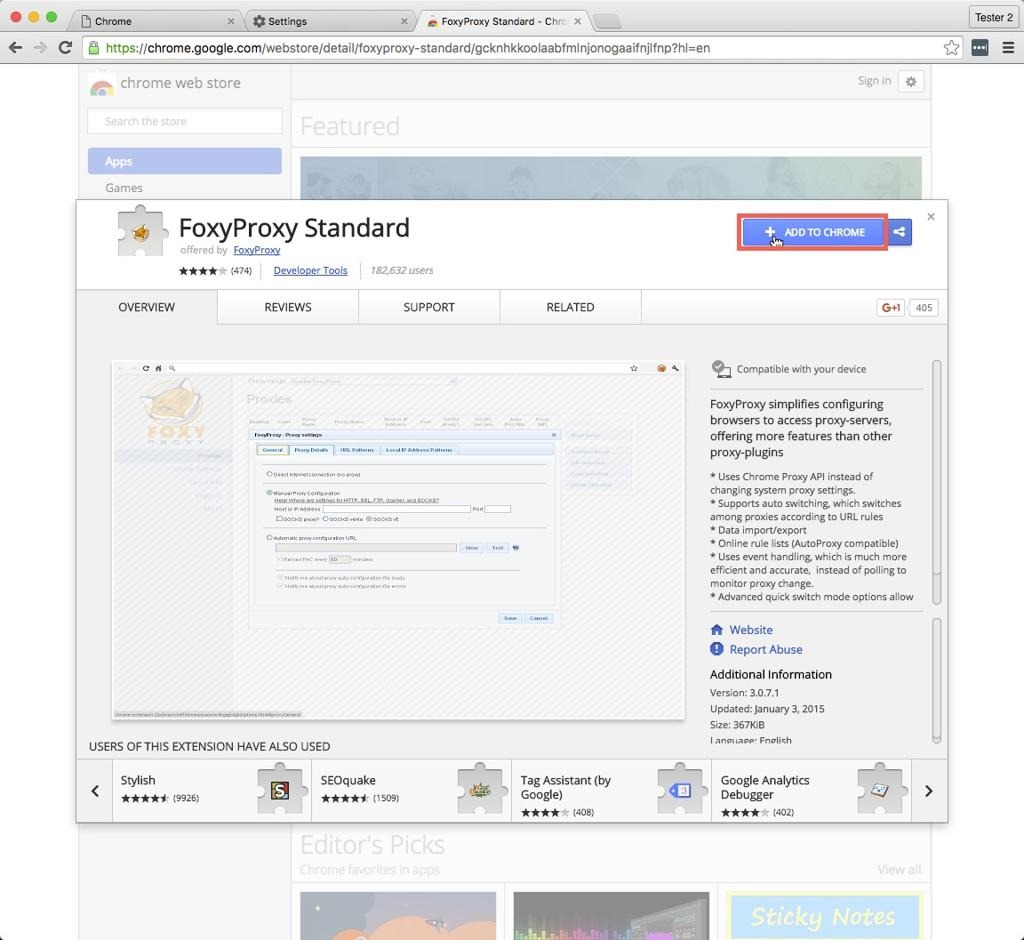
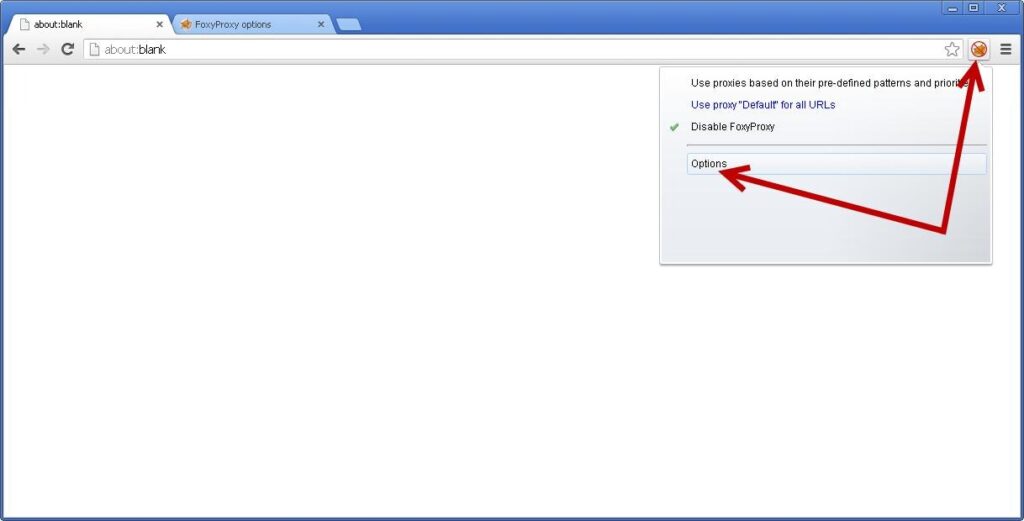
🔧 Step 1: FoxyProxy Install karo
6
- Opera browser open karo
- Extension store me jao
- FoxyProxy install karo
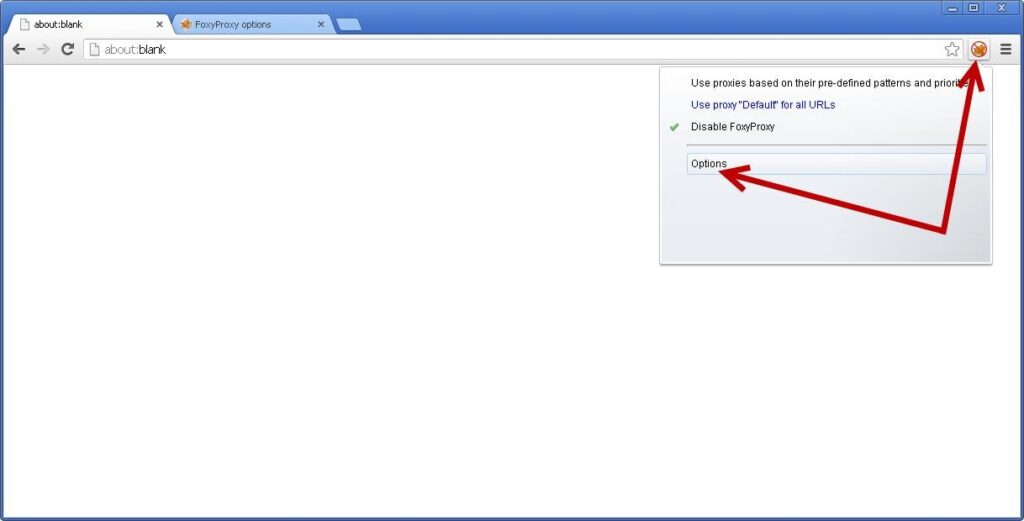
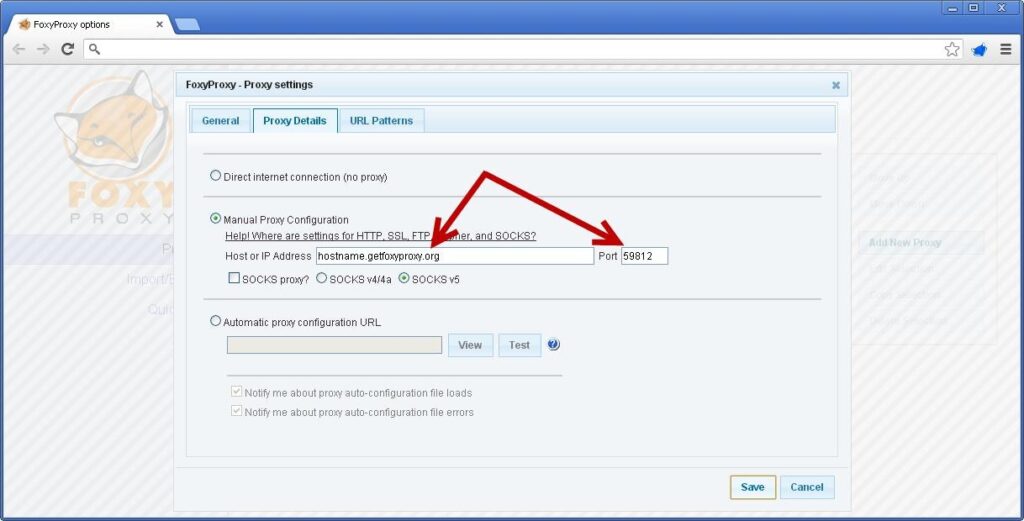
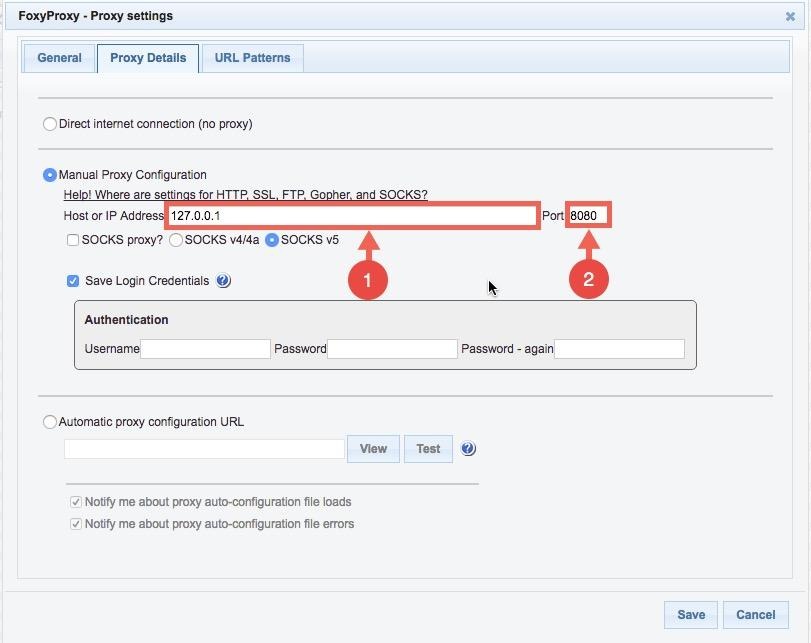
⚙️ Step 2: Proxy Add karo
5
FoxyProxy me ye settings daalo:
IP Address: 127.0.0.1
Port: 8080
Save karo ✅
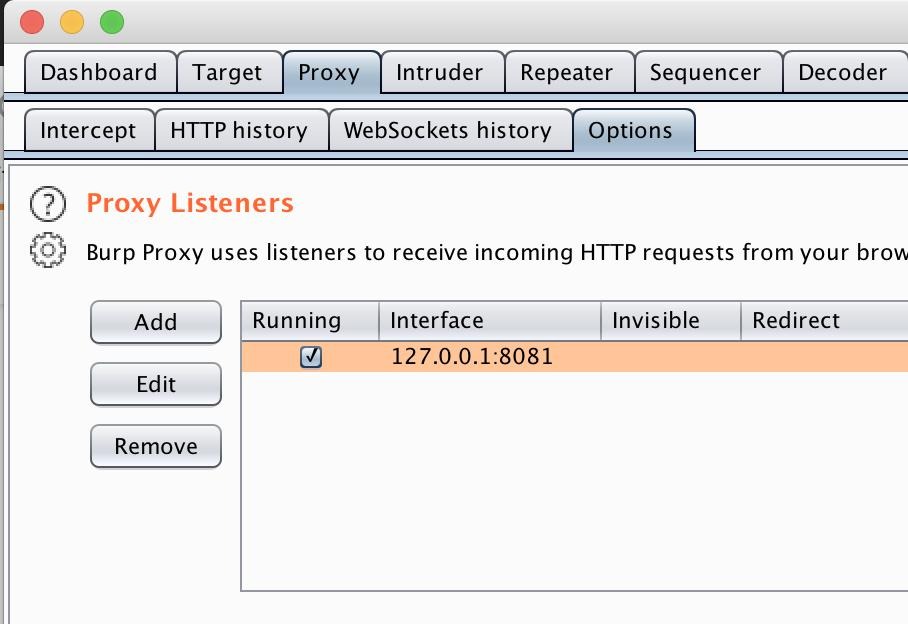
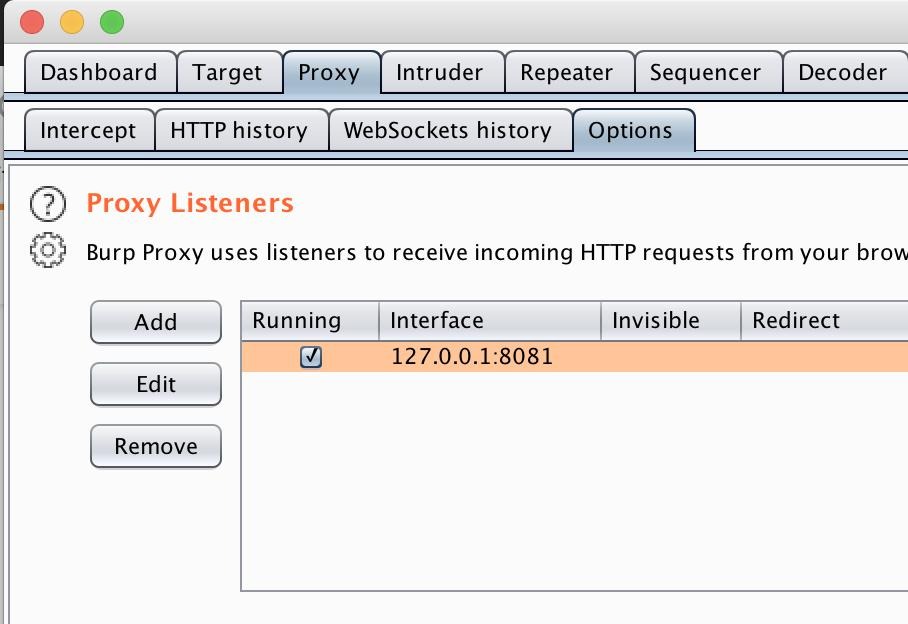
🔗 Step 3: Burp Suite Configure karo
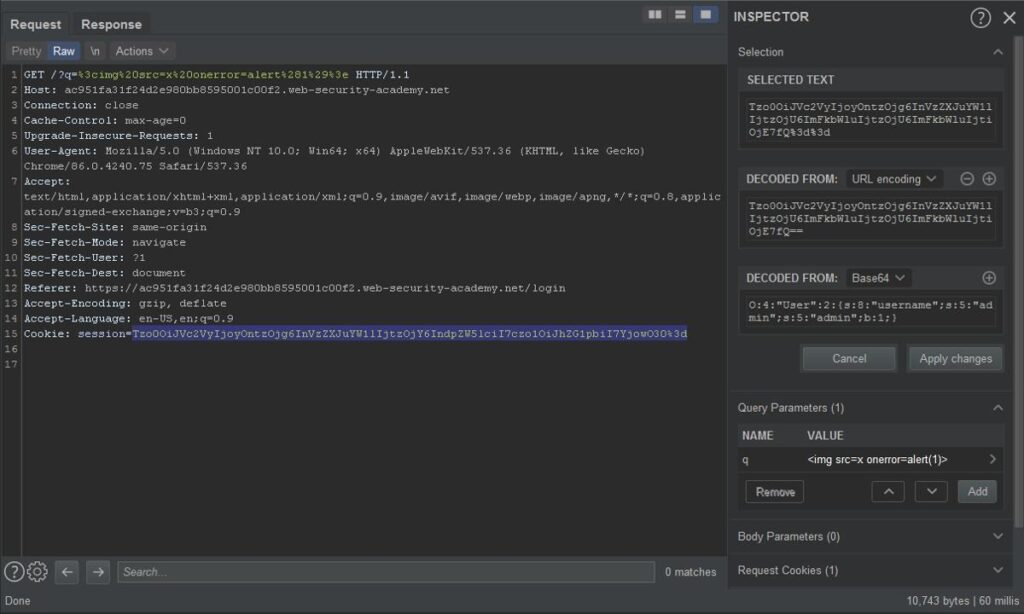
5
- Burp Suite open karo
- Proxy → Options
- Listener check karo:
127.0.0.1:8080
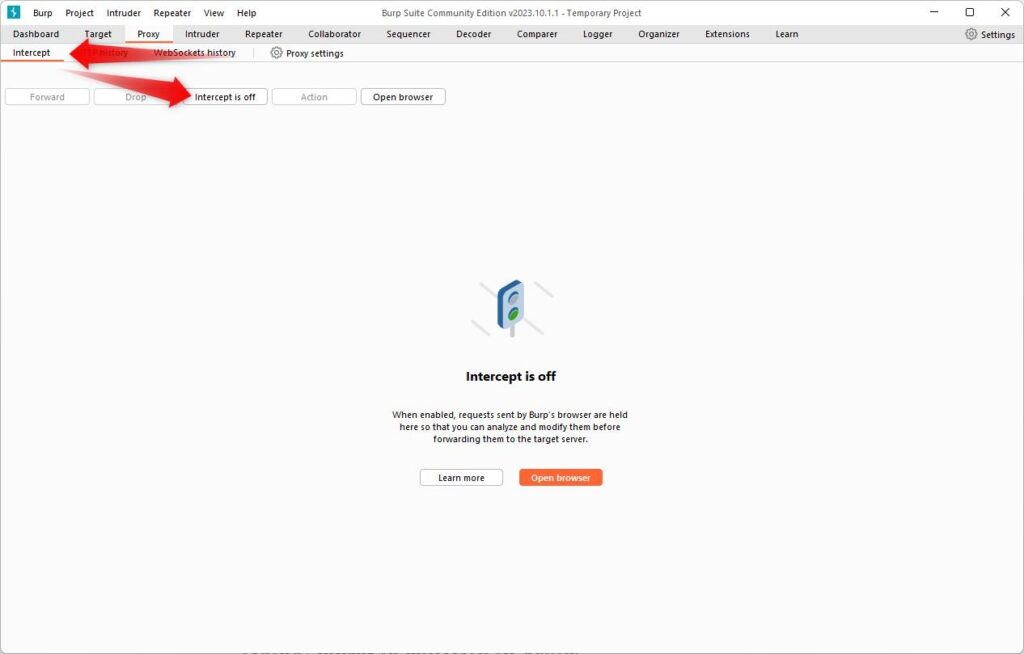
🔥 Step 4: Intercept ON karo
- Proxy → Intercept → ON
- Browser se koi website open karo
👉 Request Burp Suite me capture hoga 💥
🔐 HTTPS Setup (Important)
- Browser me open karo:
http://burp
- Certificate download karo
- Browser me install karo
🚀 Final Result
✔ Browser → FoxyProxy ON
✔ Burp Suite → Intercept ON
✔ Traffic capture ho raha hai
📢 Follow & Support
👉 🌐 Website: cyber-teck.in
👉 📸 Instagram: cyber_teck_007
👉 👍 Facebook: https://www.facebook.com/share/1RSrJbsK8H/?mibextid=wwXIfr