
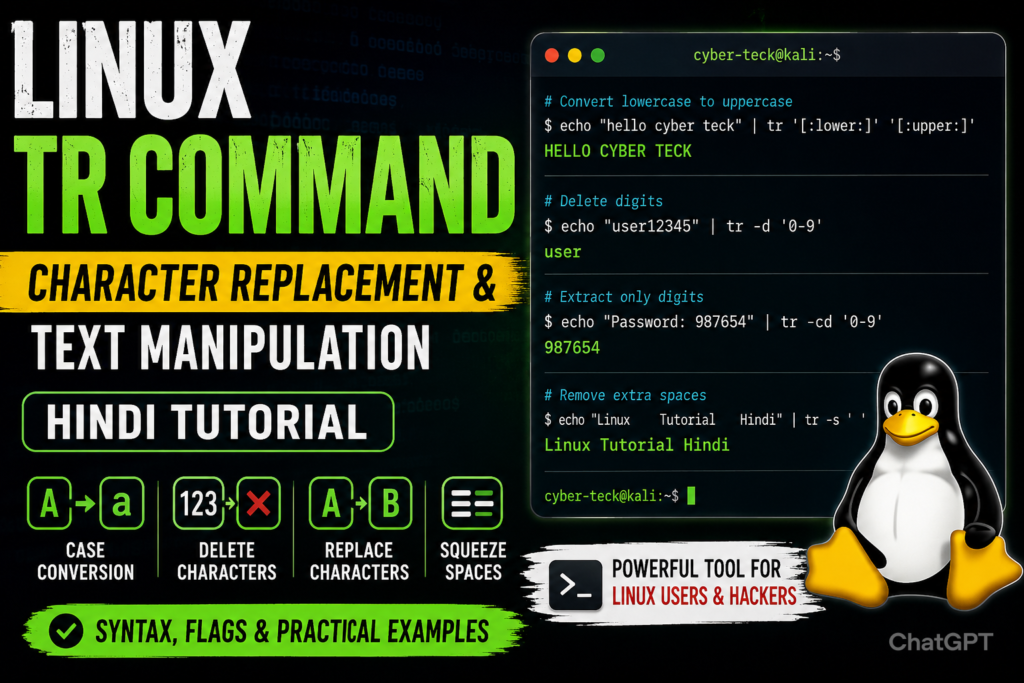
Linux में कई ऐसे commands मौजूद हैं जो text processing को आसान बनाते हैं। उन्हीं में से एक powerful command है tr (Translate Command)। यह command characters को replace करने, delete करने, uppercase या lowercase में convert करने और strings को manipulate करने के लिए उपयोग की जाती है।
यदि आप Linux Administration, Ethical Hacking, Cyber Security या Shell Scripting सीख रहे हैं, तो tr command आपके लिए एक महत्वपूर्ण tool साबित होगी।
tr Command क्या है?
tr का अर्थ है Translate। यह command standard input से characters को पढ़ती है और उन्हें दूसरे characters से replace, delete या transform करती है।
Syntax
tr [options] SET1 SET2
जहाँ:
- SET1 = Source Characters
- SET2 = Destination Characters
Common Flags of tr Command
| Flag | Description |
| -d | Characters को delete करता है |
| -s | Repeated characters को squeeze करता है |
| -t | Source set को destination set के अनुसार truncate करता है |
| -c | Complement mode (reverse selection) |
1. Lowercase को Uppercase में Convert करना
यदि किसी text file के सभी lowercase characters को uppercase में बदलना हो:
cat file.txt | tr ‘[:lower:]’ ‘[:upper:]’
Example
Input:
hello cyber teck
Output:
HELLO CYBER TECK
2. Uppercase को Lowercase में Convert करना
cat file.txt | tr ‘[:upper:]’ ‘[:lower:]’
Example
Input:
HELLO CYBER TECK
Output:
hello cyber teck
3. Characters Replace करना
किसी character को दूसरे character से replace करने के लिए:
echo “cyber-teck” | tr ‘-‘ ‘_’
Output:
cyber_teck
4. Numbers Remove करना
यदि किसी string से सभी digits हटानी हों:
echo “user12345” | tr -d ‘0-9’
Output:
user
5. Alphabets Remove करना
echo “admin12345” | tr -d ‘a-zA-Z’
Output:
12345
6. Multiple Spaces Remove करना
कई बार text files में extra spaces होती हैं। उन्हें हटाने के लिए:
echo “Linux Tutorial Hindi” | tr -s ‘ ‘
Output:
Linux Tutorial Hindi
7. केवल Numbers Extract करना
echo “Password: 987654” | tr -cd ‘0-9’
Output:
987654
Explanation
- -c = Complement
- -d = Delete
यह numbers को छोड़कर बाकी सभी characters हटा देता है।
8. Special Characters Remove करना
echo “cyber@teck#2026!” | tr -cd ‘a-zA-Z0-9’
Output:
cyberteck2026
Character Classes in tr
Linux में कुछ predefined character classes उपलब्ध हैं:
| Class | Description |
| [:upper:] | Uppercase letters |
| [:lower:] | Lowercase letters |
| [:digit:] | Numbers |
| [:alpha:] | Alphabets |
| [:alnum:] | Alphanumeric |
| [:space:] | Spaces |
| [:punct:] | Punctuation |
Cyber Security में tr Command का उपयोग
Ethical Hackers और Penetration Testers अक्सर tr command का उपयोग करते हैं:
- Log analysis
- Data filtering
- Credential extraction
- Password list cleanup
- Text normalization
- Script automation
Example:
cat credentials.txt | tr -cd ‘0-9’
यह command केवल numeric values को extract कर सकती है।
Conclusion
Linux का tr command एक छोटा लेकिन बेहद powerful text-processing tool है। इसकी मदद से आप characters को replace, delete, convert और filter कर सकते हैं। चाहे आप Linux Administrator हों, Ethical Hacker हों या Cyber Security Student, tr command सीखना आपके लिए काफी उपयोगी साबित होगा।
नियमित अभ्यास के साथ आप tr command को shell scripting और data processing tasks में प्रभावी रूप से उपयोग कर सकते हैं।