Learn the Sed (Stream Editor) command in Linux with this complete TryHackMe walkthrough. Understand text editing, pattern replacement, filtering, and practical sed examples for beginners.
Linux modules TryHackMe
Sed – stream editor
sed (Stream Editor) ek command-line tool hai jo text ko line by line read karta hai aur us par operation karta hai.
Iska use hota hai:
Text search karne ke liye
Word replace karne ke liye
Lines delete karne ke liye
Nayi line insert karne ke liye
Specific line print karne ke liye
Text formatting ke liye
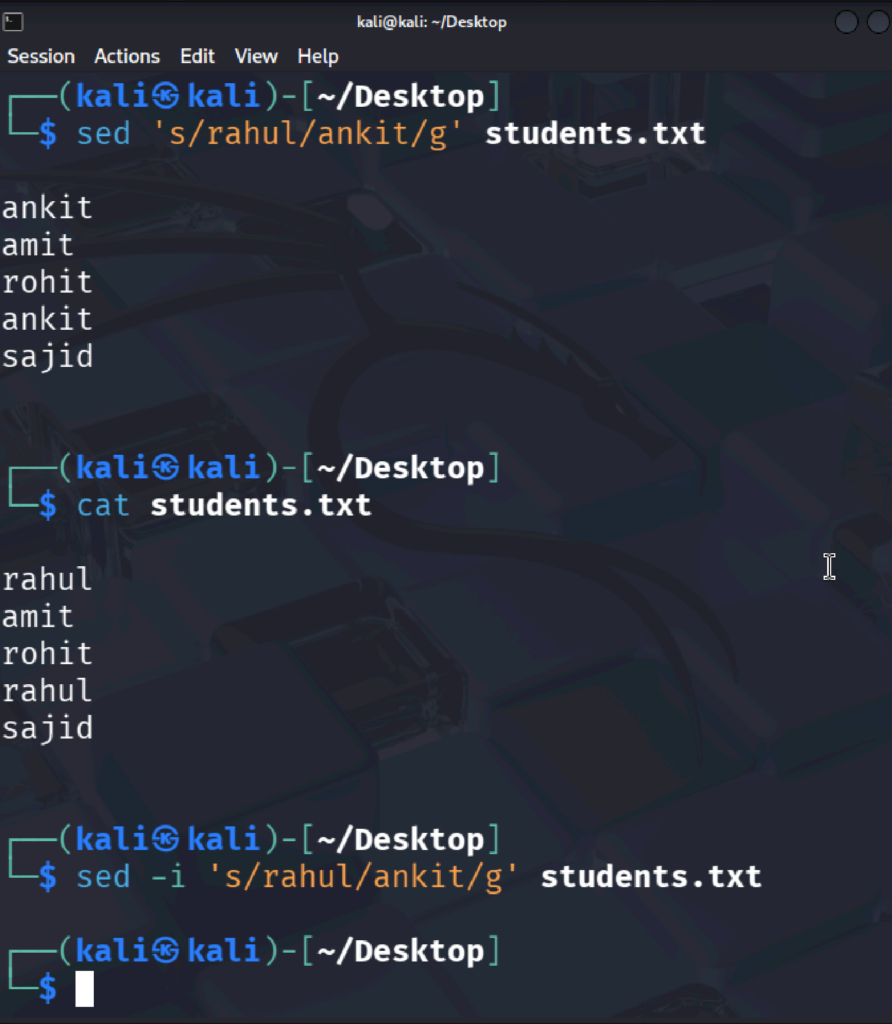
Yaad rakhiye: Default me sed original file ko change nahi karta. Ye sirf output dikhata hai. Agar file ko permanently edit karna ho to -i option use karte hain.
Syntax- sed [flag][pattern]/[screept] [input file]
Sed ‘s/john/sajid/’ file.txt
Word Replace (s = substitute)
Yaha par output me john ke jagah sajid dikhayega lekin Original file me change nahi hua hai .
Original file me change karne ke liye -i use karenge .
Example File
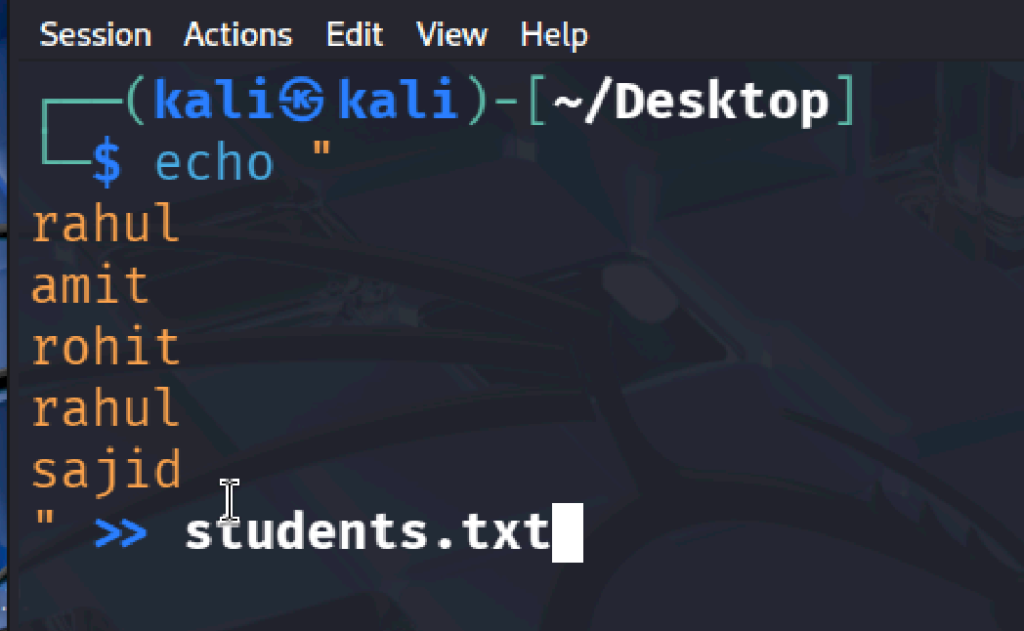
Maan lijiye students.txt file me ye data hai:
Rahul
Amit
Rohit
Rahul
Sajid
sed ‘s/Rahul/Ankit/’ students.txt
Output
Ankit
Amit
Rohit
Rahul
Sajid
Kya hua?
Sirf pehla Rahul replace hua.
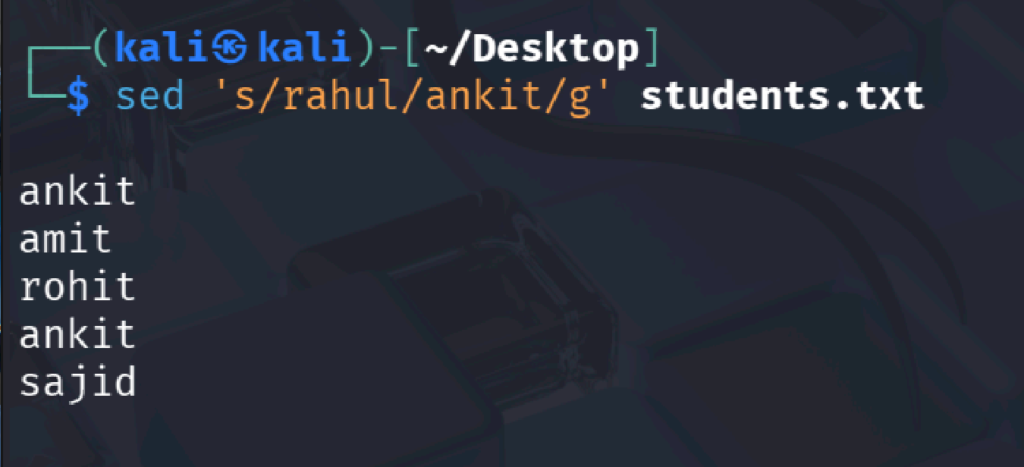
Sabhi Rahul Replace Karna
Command
sed ‘s/Rahul/Ankit/g’ students.txt
Output
Ankit
Amit
Rohit
Ankit
Sajid
g ka matlab:
Global (sabhi matches replace karo)
Original File Ko Change Karna
sed -i ‘s/Rahul/Ankit/g’ students.txt
Ab file permanently update ho jayegi.
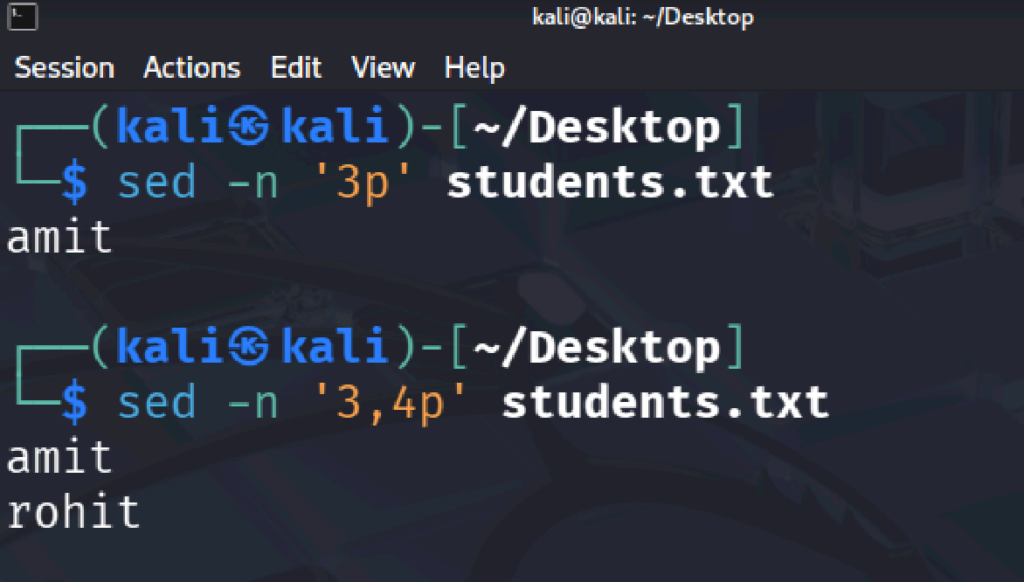
Line Number Print Karna
Sirf line 3 print karo
sed -n ‘3p’ students.txt
Output
Rohit
Explanation
-n → default output band only line voise print hoga
3p → sirf line 3 print
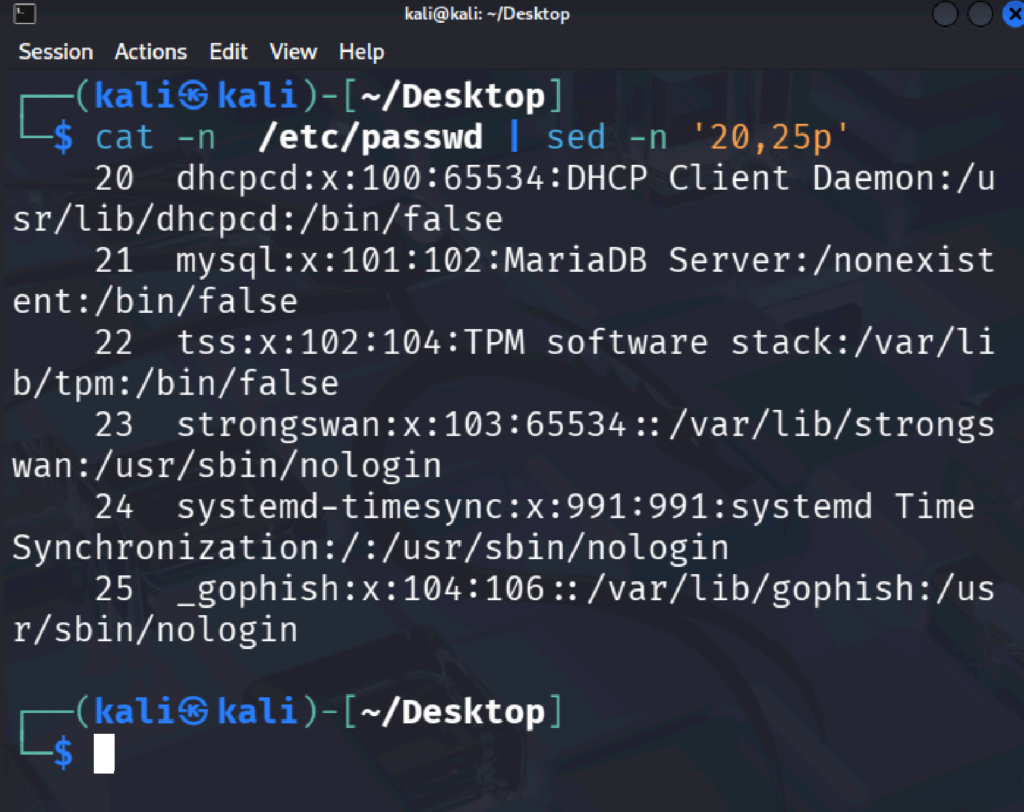
3,4 number ki line print karne ke liye.
Not -sed command se read kar sakte hai ,edit kar sakte hai aur jitna hame chahiye print kar sakte hai , jo line chahiye wo print kar sakte hai aur last me ager jaruri hua tab ham main file ko update kar sakte hai , jabki ham cat ka bhi use karte aaye hai usme ham file read kar sakte hai , aur nano se file edit kar sakte hai , lekin sed command line aasan aur useful hai .
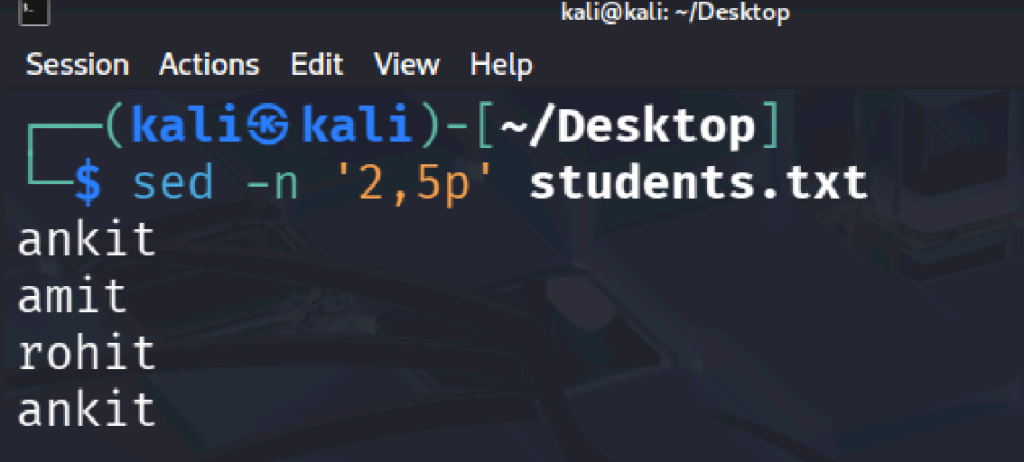
Range me dekhne ke liye command-
Sed -n ‘2,5p’ students.txt
Last line print karne ke liye command-
sed -n ‘$p’ students.txt
Iska matlab:
-n → Default output ko band kar deta hai.
$ → Last line ko represent karta hai.
p → Print karo.
Agar students.txt me ye data hai:
Rahul
Amit
Rohit
Sajid
Sajid
Output – sajid hoga
Sed -n ‘/rohit/p’ students.txt
Note- rohit jis bhi line me hoga wo line print hoga
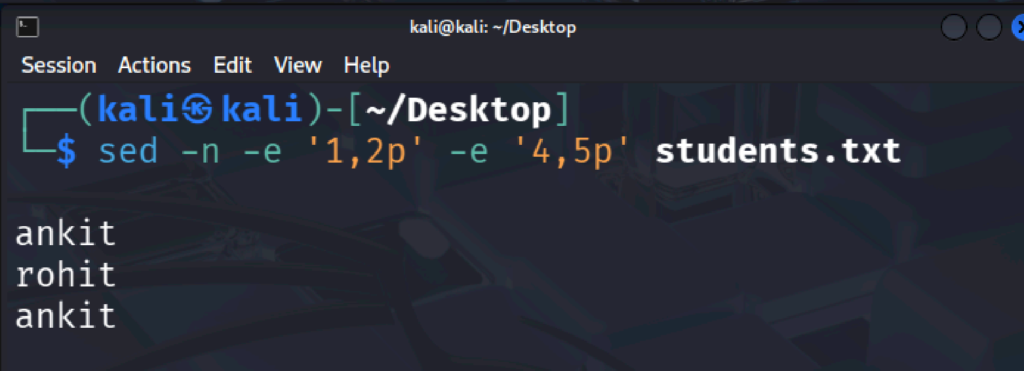
2 range ke liye
Sed -n -e ‘1,2p’ -e ‘4,5p’ students.txt
-e se ek se jyada expresion ke liye
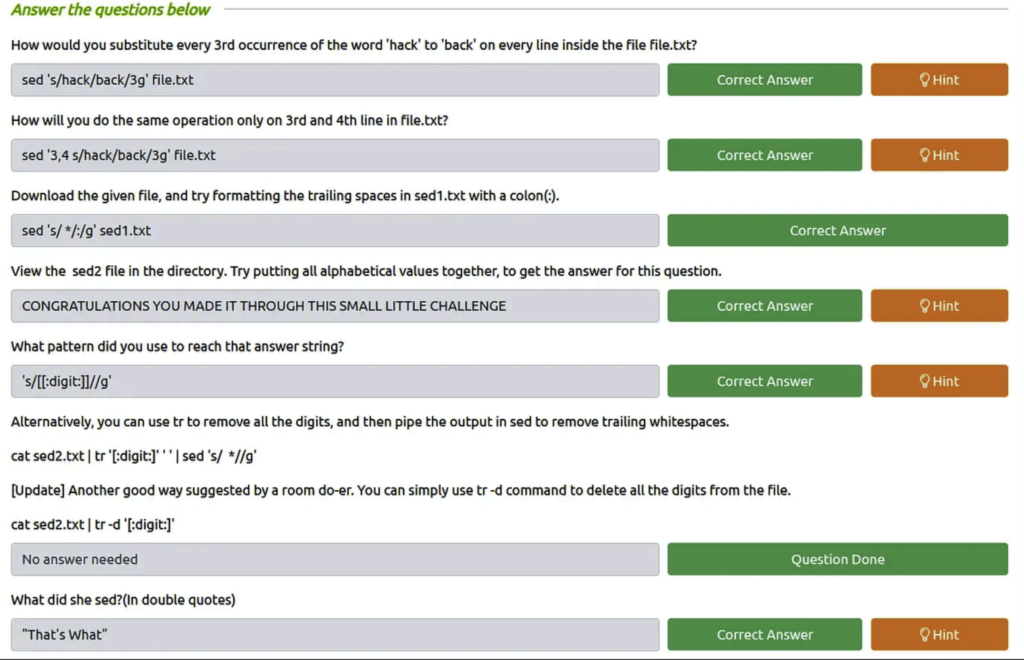
Q1) How would you substitute every 3rd occurrence of the word ‘hack’ to ‘back’ on every line inside the file file.txt? Ans: sed ‘s/hack/back/3g’ file.txt
Q2) How will you do the same operation only on 3rd and 4th line in file.txt? Ans: sed ‘3,4 s/hack/back/3g’ file.txt
Q3) Download the given file, and try formatting the trailing spaces in sed1.txt with a colon(:). Ans: sed ‘s/ */:/g’ sed1.txt
Q4) View the sed2 file in the directory. Try putting all alphabetical values together, to get the answer for this question. Ans: CONGRATULATIONS YOU MADE IT THROUGH THIS SMALL LITTLE CHALLENGE
Q5) What pattern did you use to reach that answer string? Ans: ‘s/[[:digit:]]//g’
Q6) Alternatively, you can use tr to remove all the digits, and then pipe the output in sed to remove trailing whitespaces. cat sed2.txt | tr ‘[:digit:]’ ‘ ‘ | sed ‘s/ *//g’ [Update] Another good way suggested by a room do-er. You can simply use tr -d command to delete all the digits from the file. cat sed2.txt | tr -d ‘[:digit:]’ Ans: (no answer needed)
Q7) What did she sed?(In double quotes) Ans: “That’s What”