
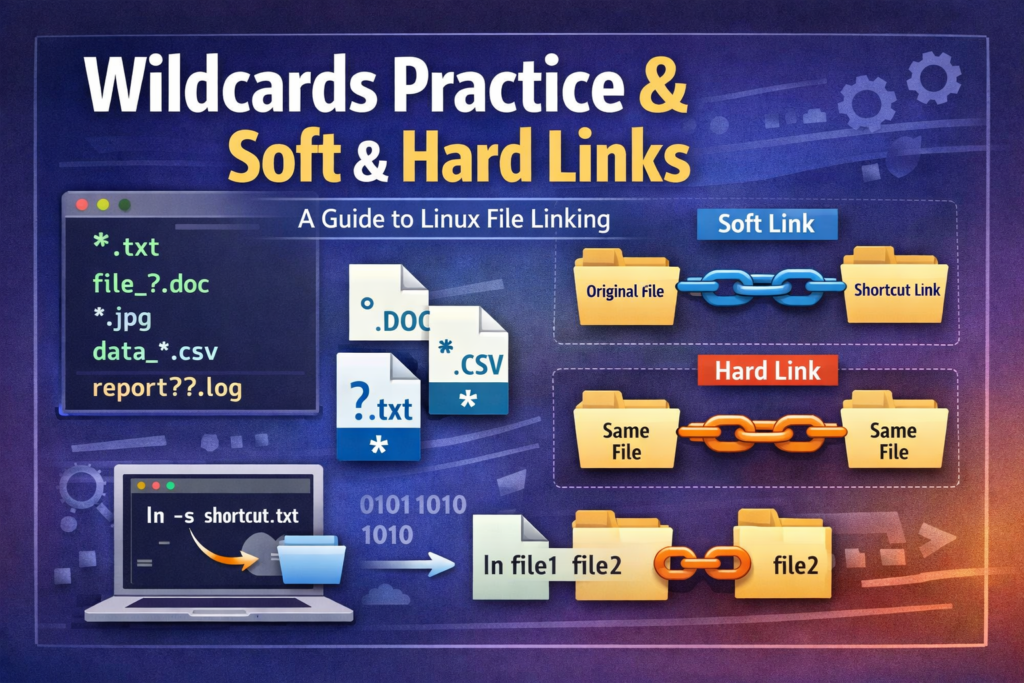
Agar aap Kali Linux, Ethical Hacking, ya System Administration sikh rahe hain, toh Wildcards aur File Links do aise core concepts hain jo aapke daily command-line workflows ko 10x fast aur efficient bana dete hain.
Iss step-by-step guide mein hum samjhenge ki Linux Wildcards ka sahi istemaal kaise karein aur Soft Links (Symbolic Links) vs Hard Links ke beech ka deep technical difference kya hota hai.
Part 1: Linux Wildcards Guide (Pattern Matching)
Wildcards Kya Hote Hain?
Wildcards special characters hote hain jo command line par specific pattern ke hisaab se multiple files ya directories ko ek sath select ya search karne ke kaam aate hain.
1. Preparing the Test Environment
Sabse pehle, practical test karne ke liye ek dummy directory banakar kuch sample files create karte hain:
Bash
mkdir wildcard_demo && cd wildcard_demo
touch file1.txt file2.txt file3.log file4.log test1.txt test2.log
2. Asterisk (*) Wildcard – Match Multiple Characters
* wildcard zero ya usse zyada kisi bhi characters ko match karta hai.
- Filtring
.txtFiles:Bashls *.txtOutput:file1.txt file2.txt test1.txt - Filtering
.logFiles:Bashls *.logOutput:file3.log file4.log test2.log
3. Question Mark (?) Wildcard – Match Exactly One Character
? wildcard bilkul ek single character ki jagah use hota hai.
- Matching
file1.txt,file2.txt, etc.:Bashls file?.txtOutput:file1.txt file2.txt(Note:test1.txtmatch nahi hoga kyunki “file” ke baad 1 character hai, “test” ke baad nahi).
4. Square Brackets ([]) Wildcard – Character Ranges & Sets
Square brackets ka use tab hota hai jab aapko specific numbers ya letters ki range define karni ho.
- Match Files with Numbers 1 and 2 Only:Bash
ls file[1-2].txtOutput:file1.txt file2.txt
5. Safely Deleting Files with Wildcards
⚠️ Pro Hacking / SysAdmin Tip: Wildcards ke sath
rmcommand chalate waqt hamesha pehlelskarke verify kar lein ki aap wahi files delete kar rahe hain jo aap chahte hain.
Bash
# Step 1: Verify files before deletion
ls *.log

# Step 2: Delete all .log files
rm *.log

# Step 3: Verify deletion
ls -l
Part 2: Linux File Links (Hard Link vs Soft Link)
Linux mein file links shortcuts ki tarah kaam karte hain. Inhe samajhne ke liye pehle Inode ko samajhna zaroori hai.
Inode Kya Hota Hai?
Linux filesystem mein har file ki ek unique numerical ID hoti hai jise Inode Number kehte hain. Isme file ki metadata (permissions, ownership, file size, blocks location) store hoti hai.
Hard Link vs Soft Link Comparison Table
| Feature | Hard Link | Soft Link (Symbolic Link / Symlink) |
| Concept | Original file ka direct duplicate pointer | Original file ka path/shortcut |
| Inode Number | Original file ke Samaan (Same) | Original file se Alag (Different) |
| If Original File Deleted? | Data safe rehta hai, link kaam karta hai | Link broken (dangling) ho jata hai |
| Cross-Filesystem? | Support nahi karta | Different filesystems par kaam karta hai |
| Creation Command | ln original.txt hardlink.txt | ln -s original.txt softlink.txt |
Hands-on Practical Lab
Step 1: Original File Create Karein & Inode Check Karein
Bash
echo "Linux Practice for Cyber-Teck" > original.txt
ls -li original.txt
(Notice karein: Command ke output mein pehle column mein 6 ya 7 digit ka Inode number dikhega).
Step 2: Hard Link Banayein
Bash
ln original.txt hardlink.txt
ls -li original.txt hardlink.txt
- Observation: Dono files ka Inode Number bilkul SAME hoga aur link count
1se badhkar2ho jayega.
Step 3: Soft Link (Symlink) Banayein
Bash
ln -s original.txt softlink.txt
ls -li original.txt hardlink.txt softlink.txt
- Observation:
softlink.txtka Inode Number Alag hoga aurls -lmeinsoftlink.txt -> original.txtarrow ke sath dikhega.
Step 4: Original File Delete Karke Behavior Observe Karein
Bash
rm original.txt
ls -li
Ab dono links ko read karne ki koshish karte hain:
Bash
# 1. Hard Link Check
cat hardlink.txt
# Output: "Linux Practice for Cyber-Teck" (Data abhi bhi safe hai!)

# 2. Soft Link Check
cat softlink.txt
# Output: "cat: softlink.txt: No such file or directory" (Broken Link!)
Key Takeaway:
- Hard Link file content ka secondary gateway hai. Jab tak at least ek hard link zinda hai, data disk se delete nahi hoga.
- Soft Link sirf file ke name/path ka pointer hota hai. Target file delete hote hi soft link useless ho jata hai.
Summary (Final Takeaways)
*match karta hai multiple characters ko,?single character ko, aur[ ]character ranges ko.- Wildcard deletion (
rm *.ext) karne se pehle hameshalsse list verify kar lein. - Hard Links same Inode share karte hain aur original delete hone par bhi data retain karte hain.
- Soft Links new Inode create karte hain aur original delete hone par break ho jate hain.